
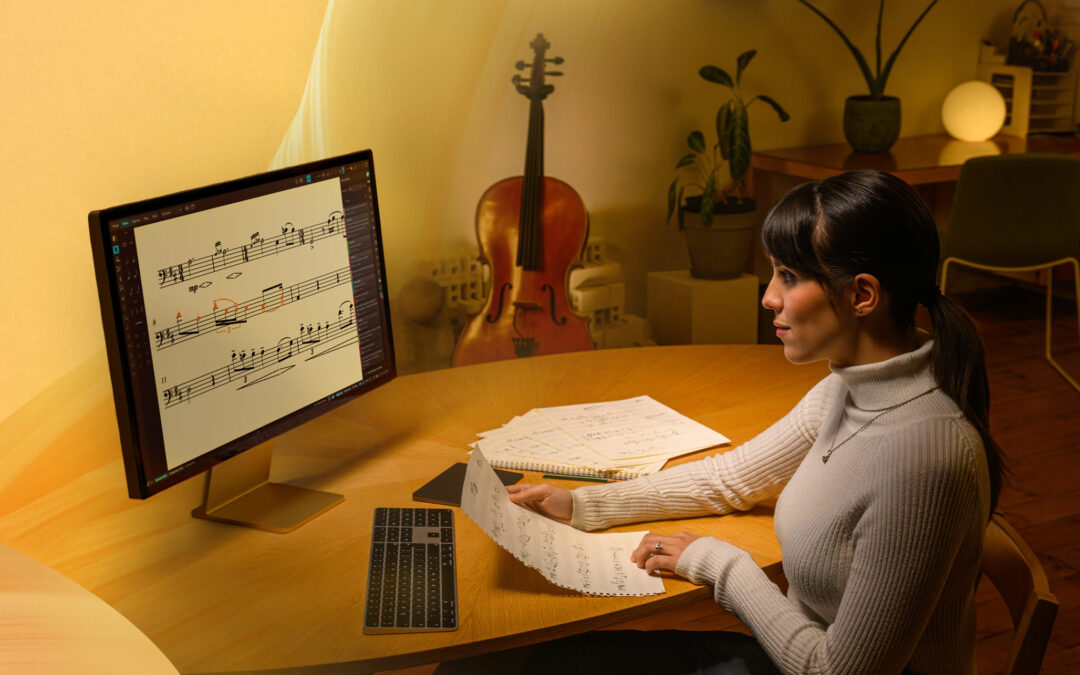
From 13 May until 26 May 2026, you can save 30% on Dorico 6 new licenses, updates, and upgrades, or save up to 50% on bundles including the Iconica Opus and Etude sound libraries. It’s a great time to step up to Dorico 6 and add some new expressive possibilities to your musical toolbox. Visit the Steinberg web site for full details.
Iconica Opus and Etude
We’re offering huge discounts on two virtual instruments of particular interest to Dorico users: the high-performance Iconica Opus orchestra library, recorded at the Funkhaus Berlin in partnership with Orchestral Tools, and the deeply-sampled Yamaha grand piano, Etude.
Iconica brings exceptional modern orchestral expression to professional composers. Iconica Opus combines the two libraries Iconica Sections and Players and Iconica Ensembles in an impressive orchestral solution with up to 190GB compressed audio and more than 500 articulations.
Iconica is a heavyweight library that provides a robust sound suitable for cinematic work, but delicate enough for fine, detailed music. It is generally advised to use individual patches from Iconica Opus in Dorico, since loading an entire orchestra requires a system with significant RAM. Bring extra life and verve to soloistic writing with the additional articulations provided by Iconica Opus, and use the cut-down Iconica Sketch library that comes with Dorico Elements and Dorico Pro to build the rest of the ensemble. Download the Dorico playback template to make use of Iconica Opus in your projects.
Etude samples a beautiful Yamaha C3X piano, recorded in a space that was acoustically designed especially for playing and experiencing pianos. You can hear this in every nuance of Etude, its sound perfectly balanced with a delicate harmonic richness at the top end and deep, warm tones in the lower octaves. Its mixer, with four different microphone positions, makes it perfectly suited to scoring, but also for writing classical, jazz or more pop-oriented pieces.
Etude is plug-and-play with Dorico 6: simply install it, and if you are using the Auto playback template, Dorico will use Etude automatically for pianos in place of the cut-down Etude Elements library included with Dorico Elements and Dorico Pro. It’s simply “set and forget”: you’ll enjoy the richer, more detailed sounds of the full Etude library in every project thereafter.
Updating to Dorico Pro 6
If you’re currently using Dorico Pro 5 or earlier, now is a great time to update to the latest version. Dorico Pro 6 adds hundreds of improvements, including:
- Proofreading: Dorico automatically checks your score as you edit, highlighting issues that could raise questions in rehearsal and recording sessions in the new Proofreading panel.
- Cutaway scores: Create cutaway scores that match the finest published works of Lutosławski, Ligeti, Berio and Stravinsky in a single click.
- Cycle Playback: Loop any section of your score during playback, and hear your edits live in the next cycle.
- Enhanced chord symbols: Show multiple rows of chord symbols, with optional extender lines. Create your own custom chord symbols, and easily override every aspect of their appearance.
- Fill view: Fill view makes maximum use of your available display, flexibly flowing as many systems of music as possible into the width and height of the window.
- OpenType features: Access enhanced typographical control with full support for OpenType glyph positioning and glyph substitution features.
- System-attached item positions: Exercise complete control over where tempos, rehearsal marks, repeats, and large time signatures appear.
- Grid and rulers: Show rulers and a customizable grid in page view for precision control over item placement.
- Doubling instruments in condensed music: All instruments held by players can now be condensed, instead of only the first, making it easy to handle players who double.
If you’re still using Dorico Pro 4, then in addition to all of the features above, you’ll also gain everything added in Dorico Pro 5, including:
- Stage and Space templates: Fine control over stereo placement of instruments, easier handling of effects plug-ins, and more
- Multiple item creation: Quickly add dynamics, playing techniques, etc. to all selected instruments in a single operation
- Live note editing: Easily drag notes to edit their pitch, or copy and move them to new rhythmic positions
- Scrub Playback: Hear what all instruments are playing at any point, and easily scrub through the music to check for wrong notes and harmonies
- Instrument editor: Edit every aspect of the instruments used in your project, or even create your own from scratch.
- Groove Agent SE: Effortlessly trigger live drum patterns that sync with playback.
- Iconica Sketch: A new lightweight orchestral sound library that despite its small size packs a big sonic punch.
And if you’re using Dorico Pro 3.5 or earlier, you’ll also benefit from our modern Steinberg Licensing system introduced in Dorico Pro 4, allowing you to activate Dorico effortlessly on up to three computers for your own non-simultaneous use. Plus you’ll get the benefits of the new functionality introduced in that version, including:
- Key Editor: Seqeuncer-style MIDI editing for notes and continuous controllers directly integrated into Write mode.
- Mixer: Completely redesigned Mixer with enhanced support for insert and send effects.
- On-screen instruments: New keyboard, fretboard, and drum pad panels for easier note input.
- Smart MIDI import and transcription improvements: Industry-leading MIDI import workflow that remembers how each track should be imported.
- Library Manager: Atomic control over the appearance of every item and the setting of every option in your project, and the ability to import from or conform to another project.
- Insert mode: Greater flexibility for inputting and editing music, with four new scopes to control the extent of edits.
- Melodic and rhythmic transformations: Tools for inversion, retrograde, scale mapping, melodic and rhythmic cycling, and more.
- Instrument filters: Instantly focus only on the instruments you want to look at in galley view.
Updates to Dorico Pro 6 are currently available at a 30% discount, so don’t miss out.
Upgrade from Dorico Elements
If you’re currently using Dorico Elements, you can upgrade to the full power and flexibility of Dorico Pro, and save 30%.
Upgrading from Dorico Elements to Dorico Pro unlocks a full professional scoring and engraving workflow, including advanced features such as condensing, automatic cues, deeper layout and notation control, expanded playback tools, and powerful arranging/orchestration capabilities. It’s ideal for users working on larger ensembles, preparing professional-quality parts and scores, or wanting maximum flexibility and customization as their projects become more ambitious.
Upgrade from Dorico SE
If you’re using the free Dorico SE, you can step up to Dorico Elements and save 30%.
Upgrading from Dorico SE to Dorico Elements provides a substantial increase in flexibility and creative scope, with support for larger ensembles, unlimited players, more advanced notation and engraving options, expanded playback features – including both the Iconica Sketch orchestra library and Etude Elements grand piano – and access to a wider range of tools for arranging and score preparation. If you’ve outgrown Dorico SE, it’s your clear next step if you want a more capable music notation environment while keeping the streamlined and familiar Dorico workflow.
Act quickly!
All of these discounts are available only until 26 May 2026, so don’t miss out. Visit the Steinberg web site to take advantage of these great savings today.