
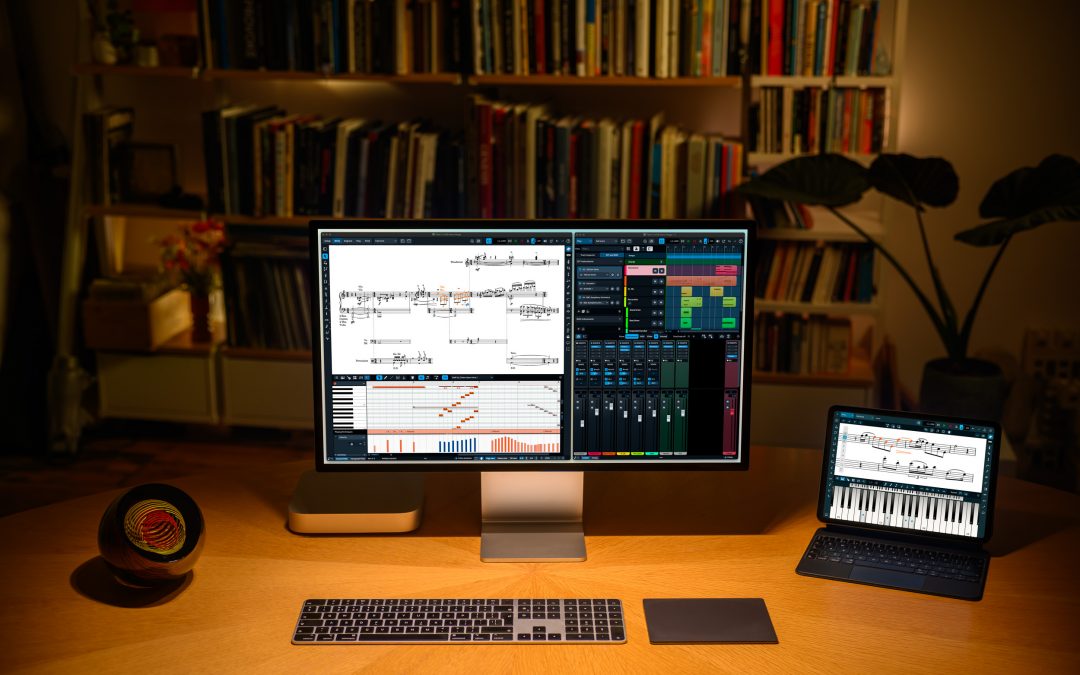
Following hot on the heels of Dorico 6.2, released two weeks ago, we are pleased to announce the release of a further minor update to Dorico 6, bringing it to version 6.2.10. This update is free to all existing Dorico Pro 6, Dorico Elements 6, and Dorico SE users, and Dorico for iPad has also been updated and can be downloaded from the App Store.
This update fixes more than 30 issues, including addressing several problems reported since the release of Dorico 6.2. However, as always, it includes a few small treats that will hopefully make Dorico a little more useful and a little more fun.
Instrument filters
Instrument filters were introduced in Dorico 4, and allow you to show only some instruments in the layout when working in galley view. A long-standing request has been to play back only the instruments that are currently shown: previously, Dorico would play back all instruments in the layout. Dorico 6.2.10 introduces a new S button to the instrument filter overlay: activate this before starting playback, and only the visible instruments will play. Changing this setting during playback won’t have any effect, as it works in a similar way to selecting music on specific staves before starting playback.
Tuplets
Another long-standing request has been for Dorico to support a different appearance for tuplet brackets: instead of showing a bracket that is effectively erased by the tuplet digits or ratio, which are vertically centred on the bracket, the bracket draws as a continuous line outside the tuplet digits. A new option has been added to the Brackets section of the Tuplets page of Engraving Options that enables this.
Panning around the score
Lots of users like to pan around the score by clicking and holding the middle mouse button (often a wheel button) to engage the hand tool, and then move the mouse to scroll through the music. This works nicely, but if you accidentally click on an item in the score (or somewhere else that changes the selection, such as a blank part of the staff), you can unexpectedly change the selection, and if you have mouse editing of notes enabled, you can even inadvertently edit the music.
To solve this, we have added a new Middle mouse button changes selection checkbox to the Note Input and Editing page of Preferences. Switch this off, and Dorico will never change the selection when clicking the middle or wheel button, allowing you to engage the hand tool without fear of accidentally changing the music.
Smart quotes
One further change to bring to your attention is that you can now specify whether or not quotation marks should be smartened in text (such as lyrics, staff labels, text frames, staff- and system-attached text, and so on) by adjusting the new Smarten quotes setting for each paragraph style in Library > Paragraph Styles.
Because of the introduction of this per-style control, the old Smarten quotes option on the Text page of Engraving Options has been removed – though this is still where the choice of which kind of smart punctuation should be used can be found.
Instrument changes
Finally, a small quality of life improvement for users working with instrument changes: a new Engrave-only Hidden property has been introduced, allowing you to specify directly that an instrument change warning or label should be hidden. Hidden labels – and those that are suppressed by way of the Custom text property, as was necessary in previous versions of Dorico – now show signposts, making it easier to find and edit them after they’ve been hidden.
Dorico for iPad
We’ve also fixed a couple of high-impact issues in Dorico for iPad. Firstly, we’ve revamped the way the Keyboard panel tracks multi-touch inputs, which greatly improves its reliability. In previous versions of the app, it was all too easy for touches to result in keys getting stuck down. This has now been solved.
Secondly, through the last few updates of the app, a persistent problem affecting working with projects saved in iCloud Drive but not in the standard Dorico folder has been troubling many users. If a project is stored somewhere other than the Dorico folder, Dorico for iPad would be unable to save the project back to that folder: a copy would be made, saved inside the application’s sandbox (so it appears under On my iPad rather than iCloud Drive), and the original file would not be updated. This too has now been fixed.
What’s next
We hope you will find these improvements and fixes useful, and that they will make using Dorico more fun and enjoyable. We are hard at work on more features, and as always we encourage you to come to the forum and give us your feedback on these changes, and others you’d like to see in future.
Hi!
Can’t find any update when I open Steinberg Download Assistent.
@Anders: Just choose Dorico Pro 6 from the list of products on the left-hand side, and download and install Dorico 6.2.10 Application Installer.
It’s great to see these refinements, especially the middle mouse button fix – that was a real frustration for me!
Thank you for these welcome improvements and fixes. Downloading now and looking forward to trying them out.
A longstanding request I have is halve/double score (as distinct from halve/double note values) – easily done in Sibelius, but not currently possible in Dorico. I made a detailed Feature Request here, which shows all the steps, and which has attracted some support: https://forums.steinberg.net/t/feature-request-halve-double-score/965952
Essentially the feature halves or doubles the entire score or selected part thereof, e.g. in 4/2 time score halved becomes 4/4 time, with everything halved, including all tuplets proportionately. As laid out in my Forum post above, to achieve this currently I have to export the score from Dorico as MusicXML, halve it (or double it) in Sibelius, and then re-export as Dolet MusicXML and import to Dorico.
Another Feature Request is for a ‘staff below’ string staves when importing MusicXML detailed here: https://forums.steinberg.net/t/feature-request-auto-convert-staff-below-on-string-staves-to-divisi-when-importing-musicxml/1005097
Hello, my name is Johnny Pasos, and I would like to share a few observations that I hope may be taken into consideration in the development of your program. First of all, I would like to say that I consider it a very good, accessible tool with an effective workflow for music notation and writing.
First, I would like to address the page numbering system. In general, only the page number appears, for example “2” or “3,” but not a more complete indication such as “2 of 2” or “2 of 3.” I believe this could create difficulties in the future, especially when a score is no longer digital and is instead printed. If someone finds, for example, page 3 of a score, they would have no way of knowing how many pages the complete file contains. For this reason, it would be very useful if the program included the total page count within each document.
On the other hand, I believe there are improvements that could significantly optimize the workflow. One of them would be the possibility for the program to automatically correct certain aspects of music notation. For example, in the case of errors related to dynamics or other notation elements, it would be very helpful if the system could detect and automatically correct certain issues. This would prevent users from having to make manual corrections one by one, making the process much more efficient.
Likewise, as a long-time Finale user, I remember that the program included a plugin for voicings. In this regard, I believe a similar tool within your software could be extremely helpful, since it would eliminate the need to carry out certain voice distribution or voicing processes manually. Incorporating a function of this kind would provide greater agility and speed in the workflow, especially in writing and arranging tasks.
Thank you very much for your attention to these observations. I am sharing them in a constructive spirit, recognizing the value of your program and trusting that this type of refinement could further strengthen its functionality and improve the user experience.
Sincerely,
Johnny Pasos
@Johnny: Thanks for your feedback. You can adjust the page templates in the software so that page numbers show not only the current page number but also the total number of pages in the layout. The proofreading features added in Dorico 6 will help you to identify things that you may want to consider changing, but it won’t make the corrections for you.
Unfortunately, for me this update ruined the playback completely. So far nobody could help!
See: https://forums.steinberg.net/t/dorico-6-2-10-strange-staccato-playback/1028263/16
Since before everything worked fine and I changed nothing else: Stay away from this update!
@Torsten: While I’m very sorry that you’re having problems with the Dorico 6.2.10 update, the issue appears to be localised to your system and in general there’s no need for people to avoid the update.
Please work on updating the score editor in Cubase so that it is useable! Also please work on the export/import between Dorico and Cubase.
– Direct transfer
– MIDI transfer
– Musicxml transfer
I specifically would like to see tracks comming from Dorico show up as instrument tracks in Cubase.
Thanks
I would like to see this too!
Great… Filters for instruments in galley view: play only the instruments currently shown!
I’m sharing the entire post (above) by James Johnston on the workflow from Dorico to Cubase.
I cannot find the update file on my Steinberg Download Assistent
@Anders: Choose Dorico Pro 6 from the list of products on the left-hand side and then download and install Dorico 6.2.10 Application Installer.
Been using Dorico since v1, and am hoping that this wonderful program will get into the 20th C with simple improvisation boxes, not WORKAROUNDS. Please. Pretty Pretty pretty please. It’s a serious functional tool for composers in the 20th and 21st C. I’m still using Finale for the older scores that use this techniques…I would love to re-enter them into Dorico and move on…
Thank you for a spectacular program!
I would love to have ques appear below the staff and possibly have ques appear above and below at the same time.
Having holds appear in resting players parts on the beat position of the hold, not a full measure hold. And a toggle to turn this function on and off.
I love Dorico!!
I’d like an app that runs Dorico on an Android tablet.
Thank you so much for all these updates, and in particular for the sticky notes fix in the iPad version! One small request for the next update: now, transforming a regular eight note followed by an eight note break into a tuplet, is affecting also the notes from the following beat – dragging them to the left, into the new created tuplet (that need manual readjustment). Thanks again!
A couple of things I’d like to see:
– add gradual dynamics mid-tie
– instrument changes between grand staff mallet & single staff percussion maintain a grand staff
– When changing between unpitched & pitched percussion, have the ability to not redisplay the key signature and clefs
I have already Dorico 5. is it possible to jump to Dorico 6 easy ?
@Elie: Yes, you can buy an update to Dorico Pro 6 from the Steinberg online shop.
Please fix so that we can have playvback and sounds on Arm64 machines!